How to perform a Randomisation
Note: The Randomisation process may have additional steps specific to the trial. For more information please check your trial's Trial Specific Helpdesk articles available in IWRS index page.
1. How to perform a Randomisation
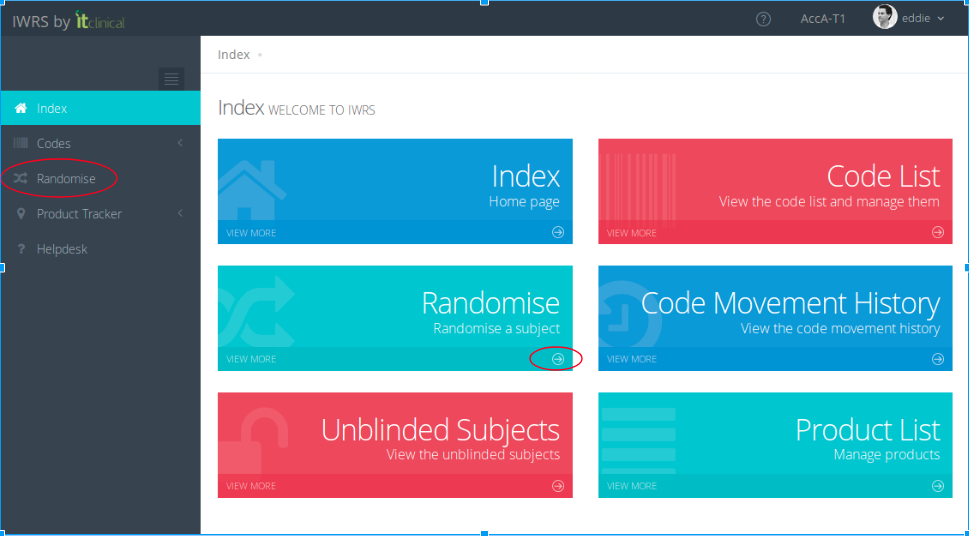
In the Home page choose one of the Randomise options.
2. Fill out the randomisation form
Fill out the form available in the Randomise page.
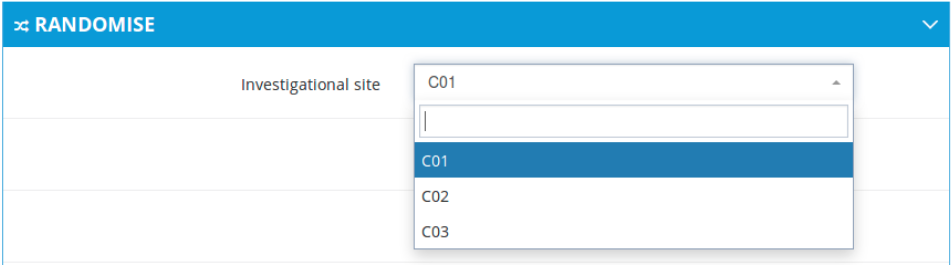
- Choose from the Investigational site drop box where the subject will be assigned to.
Note: the sites available are only those the user is assigned to.
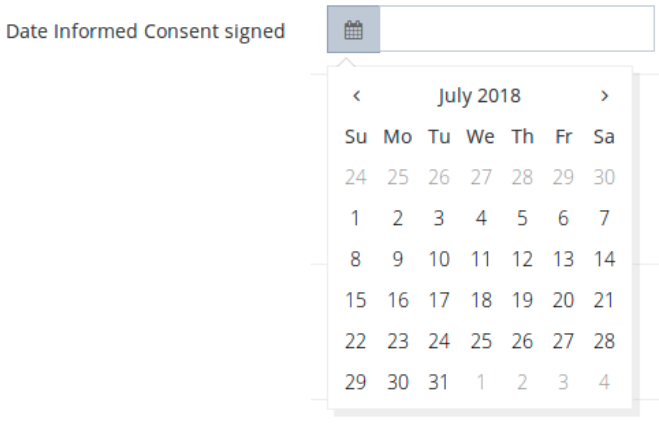
- Select the date the Informed Consent was signed.
- Answer the remaining trial specific screening questions accordingly.
- Click on the Randomise button.

- Provided all required information is added, the subject will be successfully randomised, and a new randomised code will be displayed in the Code List.
Related Articles
Randomisation Summary
1. Randomisation Summary The act of performing a randomisation assigns a subject with their randomisation code for the trial. This way, a subject will be identified by their randomisation code and the information will be kept anonymous throughout the ...Unblinding Subjects
1. How to perform an emergency unblinding The following procedures must be followed: 1. Go to Codes page (button in Welcome page or in the dropdown menu at the left of the page) 2. Click on the red button Unblind in the corresponding subject's entry ...Unblinding Summary
Unblinding This action unblinds a randomisation code, permanently terminating the participation of the subject in the study. This action should only be performed in case of an emergency. In the Unblinded Subjects list, a user will be able to see all ...Dispensing Summary
1. Product Dispensing Product Dispensing performs the automatic and blinded dispense of a product to a subject. The dispense will be performed for an active randomisation code, according to the visit and treatment assigned to the subject. The ...Subscription List Management
1. Subscription Lists To see the subscription lists go to Subscription page. Depending on your account permissions/configuration, the following subscription lists may be available in the system: Subscription List Name Description Unblinded List An ...