Subscription List Management
1. Subscription Lists
To see the subscription lists go to Subscription page.
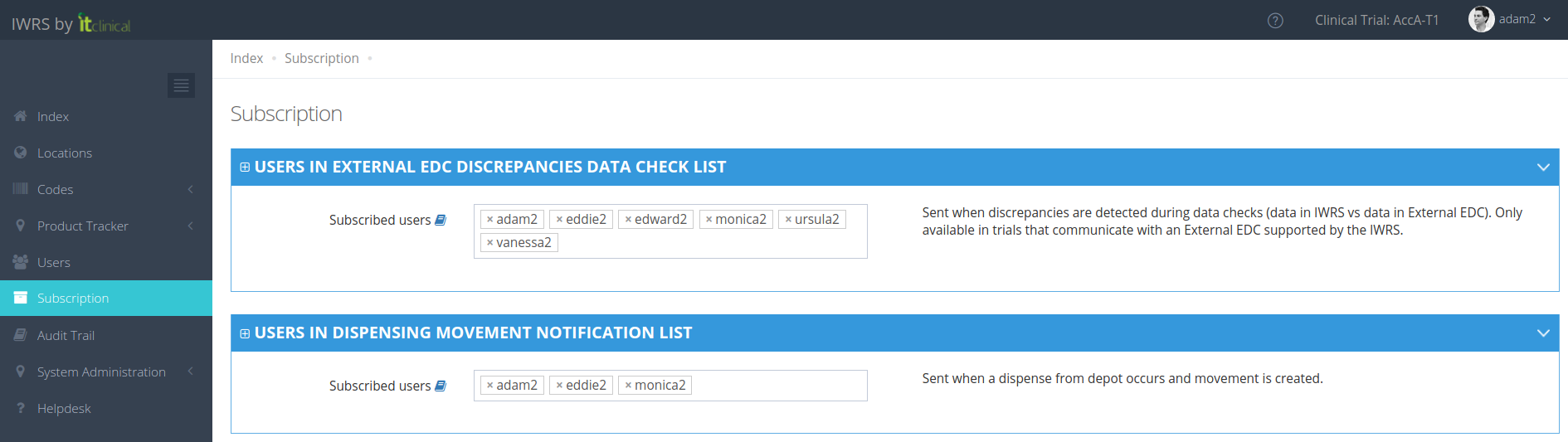
Depending on your account permissions/configuration, the following subscription lists may be available in the system:
Subscription List Name | Description |
| Unblinded List | An email is sent with unblinding information (e.g. subject, reason, unblinding date) when a subject is unblinded. |
| Randomisation List | An email is sent with randomisation information (e.g. subject, randomisation number, randomisation date) when a subject is randomised. |
| Visit Date Approaching | An email is sent when a scheduled visit for a subject is approaching. |
| External EDC Discrepancies Data Check List | If there are discrepancies between IWRS randomisation data and External EDC data, an email is sent with the subjects where discrepancies are detected. |
| Dispense Notification List | An email is sent when a dispense occurs in trial. |
| Dispensing Movement Notification List | If dispensing occurs from preferred depot, an email is sent after each product is dispensed to inform that a movement was created. |
| Stock Resupply List | An email is sent if product quantities reach the resupply trigger (minimum number of products required in a location - defined by the supply scheme). |
| Automatic Shipment Initiation Error List | An email is sent when there are not enough products at the preferred depot to create a resupply movement. |
| Product in Transit List | An email is sent if there is a shipment waiting for reception to be confirmed for over a week. Email is re-sent every week until reception is confirmed in IWRS. |
| Product Expiry Date List | An email is sent N days (and then on a weekly basis) before the product expiry date. Note that the number of days is configured according to your trial requirements. |
| Shipment Created List | An email is sent when a new shipment is created. |
| Shipment Confirmed List | An email is sent when a shipment is confirmed and is in transit. Editing the shipment at this point also triggers this notification. |
| Shipment Received List | An email is sent when a shipment is received. Editing the shipment at this point also triggers this notification. |
Note: As a general rule, users will only receive notifications from the locations they are associated with.
(e.g. if a subject is randomised on a location that I'm not associated with then I will not receive the randomisation email).
2. How to add/remove users to a Subscription List?
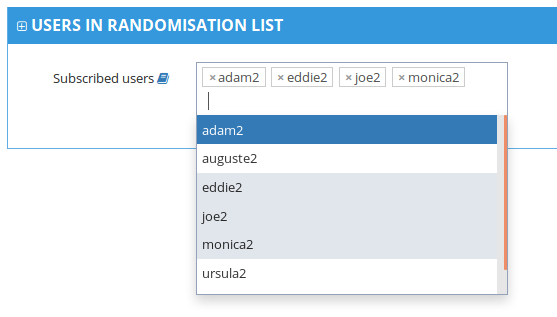
1. Adding users
Users can be chosen from a drop-down list.
2. Removing users
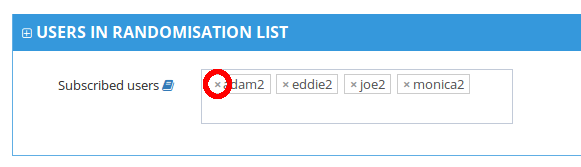
To remove users from subscription list, you only have to click on the cross on the left of each user's name.
Related Articles
Account Management
1. How to access the account management Users with account management permissions will be able to choose to enter a Trial or an Account. 1. To access the account management, choose the account you want to access and click on Manage Account. 2. You ...How to create Users
Note: User is the entity with the authority to use the application. 1. Create New Users 1. In the Index page, select the Users option to go to the Users page. 2. Select the New User option at the top of the table to open a form. 3. Fill out the form ...Trial Settings - Stock Management Configuration
1. How to see the Stock Management configuration Only users with certain permissions can see the stock management configurations. The Stock Management configuration page includes information regarding: Predictive Stock Resupply: Short and Long ...Roles and Permissions
1. Roles A role functions as a bag of permissions for the user. A role has 3 properties: a role name; a description; a list of permissions. Check the Roles table in the Users page, for a list of the roles available in your trial. Like the users ...Supply Schemes
1. What is stock resupply? Stock resupply is an optional feature which allows to send a warning notification when the stock is low at a location. In addition, a stock resupply shipment can be automatically and/or manually initiated (depending on ...