Edit Product Details
1. Edit Product Details
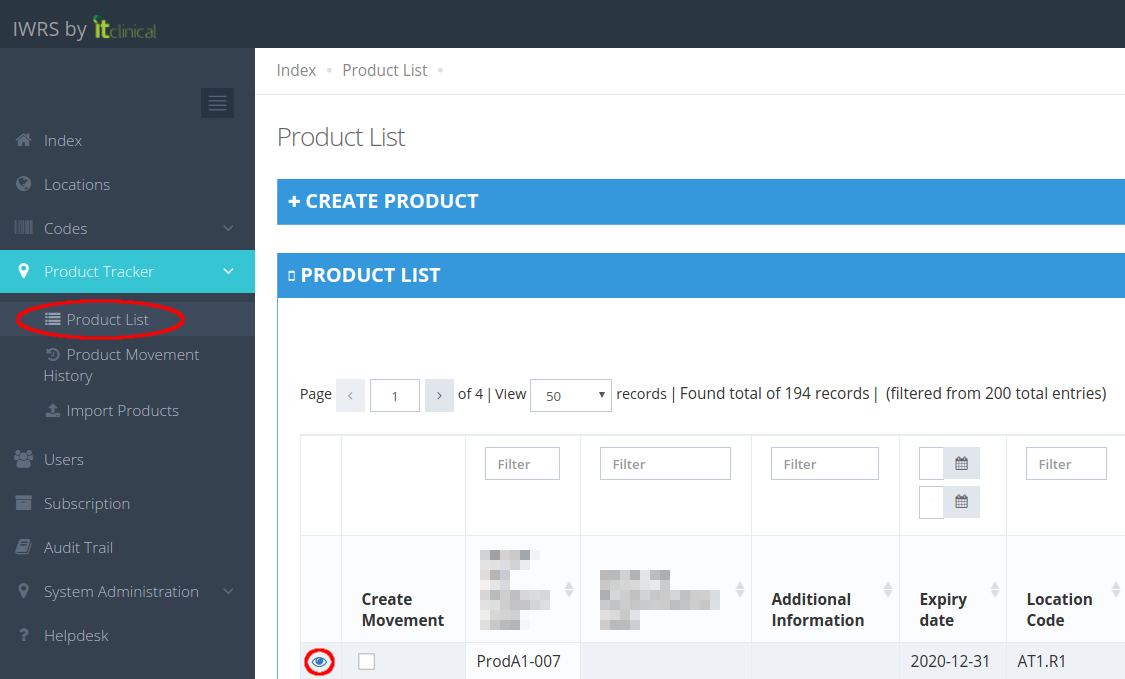
1. From the Product List access a selected product's details page.
2. Edit product details and "Submit".
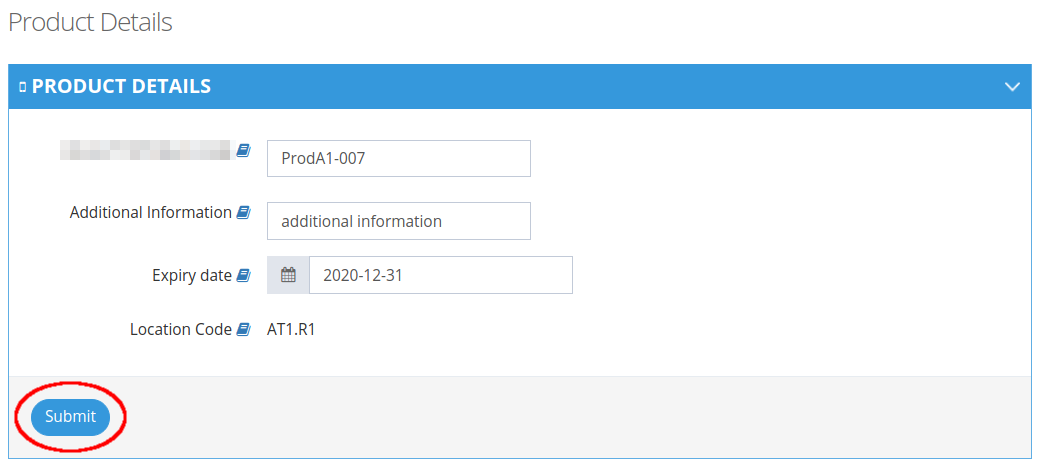
Note: When editing a product's details, the Expiry Date field is mandatory in order to submit changes. An error message is show when Expiry Date is not filled out.

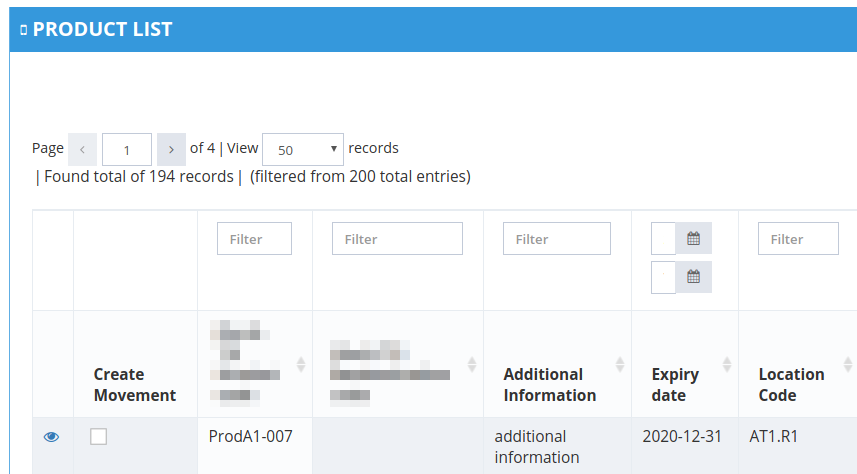
3. Product is now saved with updated details.
Related Articles
Step 2 - Cancel, Confirm and Edit Shipment
1. Cancel Shipment When in "Waiting" status, shipments can be canceled. If you cancel the shipment, products will be left in the origin location and the Shipment Status will be "Cancelled". 2. Confirm Shipment After initiating a shipment the shipment ...Edit Details
1. Edit Details 1. Hover your mouse over your username at the top right corner of the page and click on My Details. 2. After changing your Full name and/or Email click Edit to save changes. 2. Change password 1.Click on the Change password tab in My ...Trial Details
1. How to edit the trial details Only users with certain permissions can see and/or edit the trial details. 1. Go to Trial Settings page underSystem Administrationon the left menu 2. Select Trial Details tab 3. The trial details will be shown as ...How to edit and delete a location
Note: Check also article How to create a location to learn how to create a location. 1. Edit a location 1. Go to the location's details (see step 1. of How to configure a location for the creation of automatic movements). 2. You can edit any location ...Import Product Information
Note: Depending on your account permissions/configuration, you may be able to import products' information to IWRS. 1. How to import products' information 1. Go to Import Products page (available under Product Tracker menu). 2. Select the CSV file ...