How to edit and delete a location
Note: Check also article How to create a location to learn how to create a location.
2. Delete a location
1. Edit a location
1. Go to the location's details (see step 1. of How to configure a location for the creation of automatic movements).
2. You can edit any location field and associate/dissociate any user from location by checking/unchecking the boxes.
3. Click "Save" to save your changes.

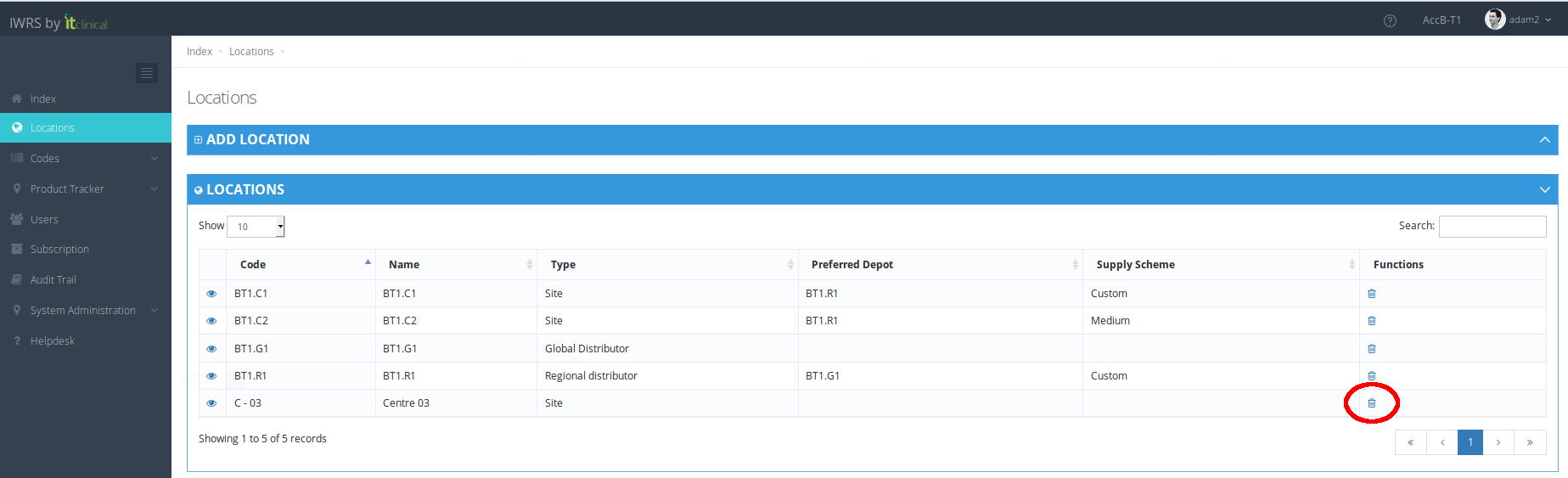
2. Delete a location
1. Click on the trash can to delete the location.
2. A confirmation message will appear.
Note: you cannot delete a location that has codes, users, or shipments associated.
Related Articles
How to create a Location
1. How to create a location Go to Locations page (available on the left menu or in Welcome Page). Expand "Add Location" form. 3. Insert Location's details (e.g Code, Name, Type, Country) and click "Add" at the bottom of the form 4. Location will be ...Step 2 - Cancel, Confirm and Edit Shipment
1. Cancel Shipment When in "Waiting" status, shipments can be canceled. If you cancel the shipment, products will be left in the origin location and the Shipment Status will be "Cancelled". 2. Confirm Shipment After initiating a shipment the shipment ...Edit Details
1. Edit Details 1. Hover your mouse over your username at the top right corner of the page and click on My Details. 2. After changing your Full name and/or Email click Edit to save changes. 2. Change password 1.Click on the Change password tab in My ...Edit Product Details
1. Edit Product Details 1. From the Product List access a selected product's details page. 2. Edit product details and "Submit". Note: When editing a product's details, the Expiry Date field is mandatory in order to submit changes. An error message ...Location Types
Location types When creating a location, there are three types which can be chosen from. See information in the table below. Location Level Location Type Description 1 Global Distributor The higher level of location type. Initially contains all kits ...