Account or Trial selection
Note: This feature only applies to users associated with more then one account and/or trial.
1. Context
Context is what defines the data the user is interacting with when logged in.
A context can be a trial or an account.
A user can only select contexts the user is associated with.
2. Account or Trial Selection
1. After logging in, the user will be directed to a page with a form in which the user can select a account/trial.
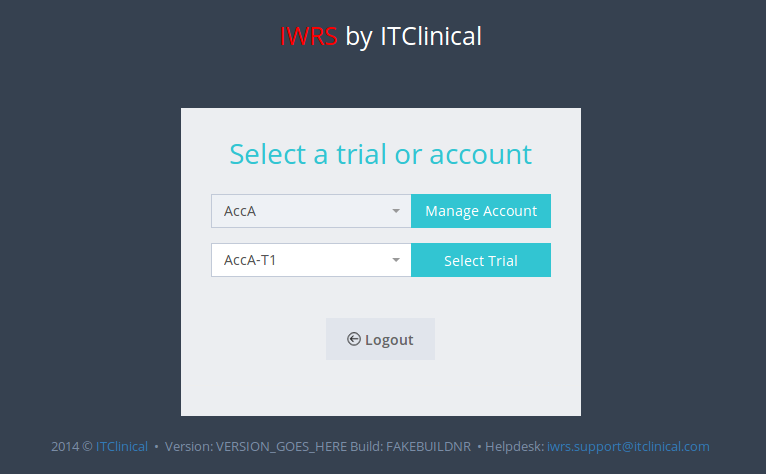
2. Select the desired trial/account to access the index page of IWRS in the selected context.
3. Switch Trial/Account
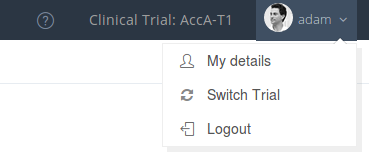
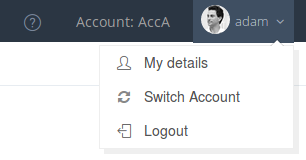
While in the system, the user can return to the Select a trial or account page:
1.Switch Trial option.
2.Switch Account option.
Related Articles
Account Management
1. How to access the account management Users with account management permissions will be able to choose to enter a Trial or an Account. 1. To access the account management, choose the account you want to access and click on Manage Account. 2. You ...Trial Details
1. How to edit the trial details Only users with certain permissions can see and/or edit the trial details. 1. Go to Trial Settings page underSystem Administrationon the left menu 2. Select Trial Details tab 3. The trial details will be shown as ...Trial Settings - Timezone
1. How to edit trial timezone Only users with certain permissions can see and/or edit the trial timezone. 1. Go to Trial Settings page under System Administration on the left menu 2. Select Regional Settings tab 3. The trial's timezone will be ...Login / Logout
In this section you will learn to: Log in IWRS Log out IWRS 1. (First) Login To log in to the IWRS system: A random password and access instructions will be sent to your email The login page will be available in the following link: ...Trial Settings - Visit Configuration
Note: Only users with certain permissions can see and/or edit the visit related configurations. 1. Subject visits schedule configuration Visit scheduling configuration allows the user to configure how many days after randomisation the visits should ...