Step 1 - Initiate Product Shipments
1. How to initiate a product shipment
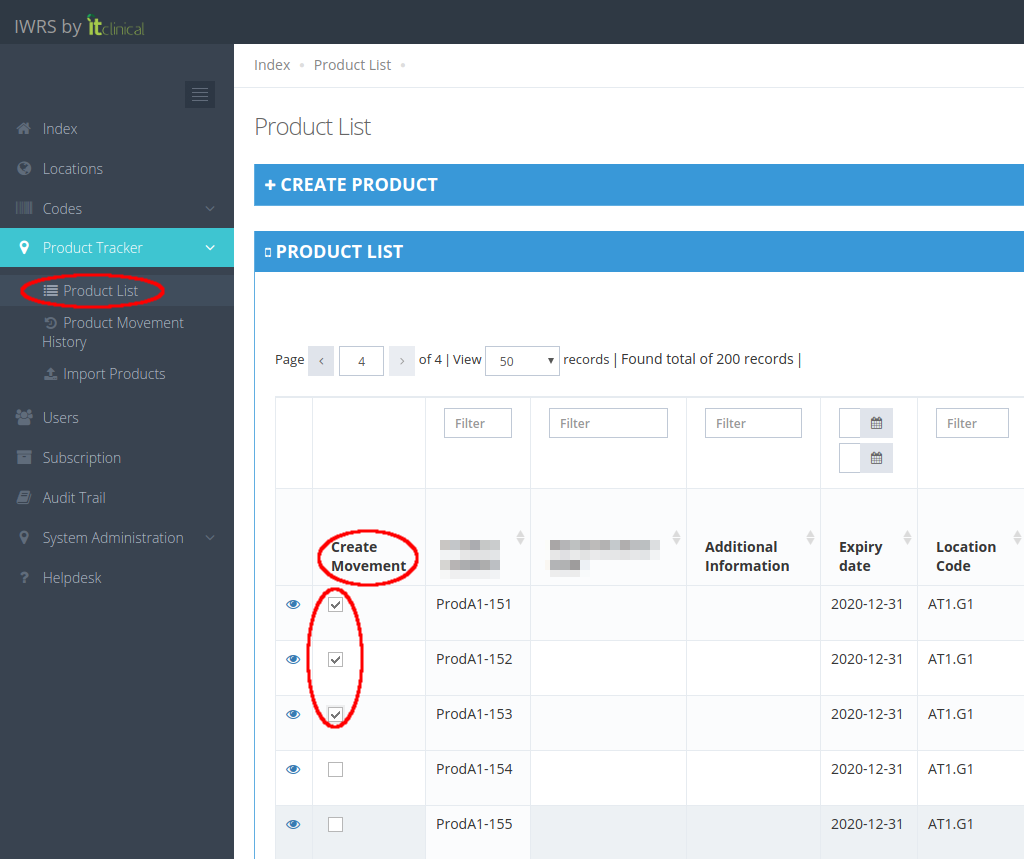
1. Go to Product List page (available under Product Tracker menu or in Welcome Page).
2. Select the products for shipment by ticking their checkboxes in the Create Movement column.
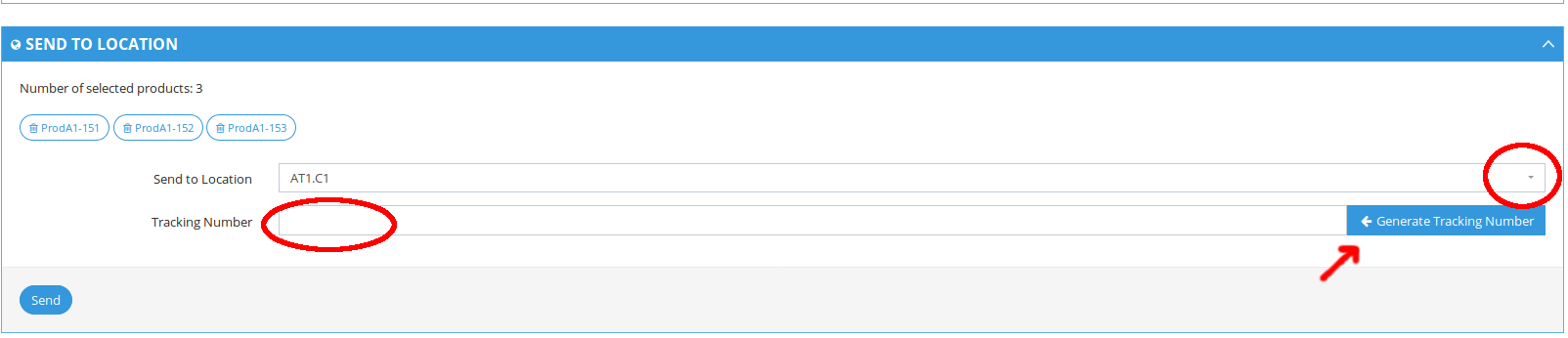
3. When you select a product, a form "Send to Location" will be available at the bottom of the page.
4. Select the location you want to send the products to.
5. Insert or generate the Tracking Number (note: it can also be left empty until shipment confirmation)
6. Click "Send" to create the movement.
7. Shipment will be initiated

To learn more regarding Automatically generated Tracking Number, please refer to the following article: Automatically generated Tracking Number
Related Articles
Step 3 - Confirm Product Reception
1. How to perform product reception Assuming that a product shipment was initiated and then confirmed: 1. Go to Product Movement History page (available under Product Tracker menu or in Welcome Page). 2. Click shipment details button corresponding to ...Manually triggered automatic shipments
1. What are manually triggered automatic shipments? Trials configured with manually triggered automatic shipments allow the users to manually trigger a shipment initiation. This shipment will take into account the target defined for that location and ...Product Returns
1. Return a Product A product may only be returned if it's inactive. For example, if a product is damaged/expired, you need to return it and should follow the next steps: 1. Go to the Product List page. 2. Choose the inactive product you want to ...Product Shipment Rules
1. Shipments cannot be performed between locations at same level (e.g. between sites or regional distributors) Examples: Same level shipments are not allowed Origin Destination Result Global Regional Success Regional Site Success Global Site Success ...Step 2 - Cancel, Confirm and Edit Shipment
1. Cancel Shipment When in "Waiting" status, shipments can be canceled. If you cancel the shipment, products will be left in the origin location and the Shipment Status will be "Cancelled". 2. Confirm Shipment After initiating a shipment the shipment ...