Supply Schemes
1. What is stock resupply?
Stock resupply is an optional feature which allows to send a warning notification when the stock is low at a location.
In addition, a stock resupply shipment can be automatically and/or manually initiated (depending on trial configuration).
To learn more about on these topics, please refer to the following articles:
2. What is a supply scheme?
A supply scheme defines the minimum and maximum number of products to be considered during automatic shipments to a location. It is defined by two properties:
1.Resupply trigger - number of products available at a location (from either treatment type) that triggers the initiation of a resupply shipment.
2.Resupply target - number of products (from either treatment type) that will exist at the location after the shipment is performed (current number of products in location + products shipped to location).
Note: A custom supply scheme without resupply target may be created. This way users subscribed to the Stock Resupply Subscription List receive a notification email warning that the location is running low on products.
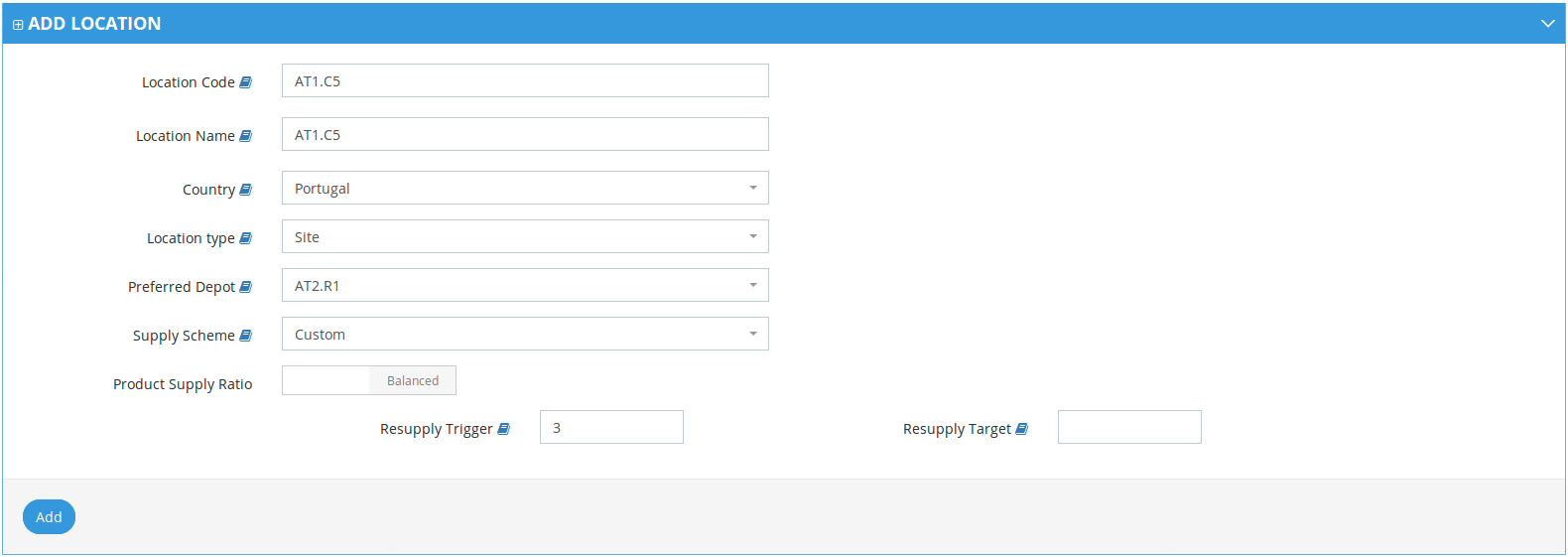
3. Product Supply Ratio
In trials with 1:1 Product Supply ratio for treatments, the resupply trigger and the resupply target of a supply scheme will be the same for all treatments (e.g.: image shown above).
In trials with a different Product Supply ratio for treatments, the resupply trigger and the resupply target need to be specified for each treatment:
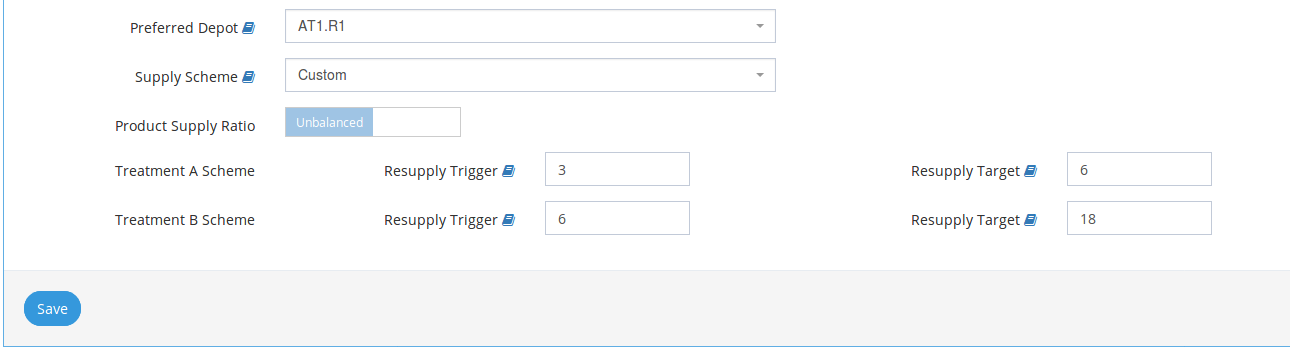
4. Supply Schemes available
The following supply schemes are available (Resupply trigger and target values are configurable per trial):
| Supply Scheme | Resupply trigger | Resupply target |
|---|---|---|
| Low | 3 | 6 |
| Medium | 4 | 10 |
| High | 6 | 18 |
| Custom | <Resupply trigger> | <Resupply target> |
If supply scheme is "Custom", you may insert a Resupply trigger and a Resupply target of your choice.
Note: Shipment is not initiated when Resupply Target is lower than current products in location (i.e. Resupply Trigger< Resupply Target).

Related Articles
How to configure a location for Automatic Shipment Initiation
1. Steps for the configuration of Automatic Shipment Initiation It is assumed that the trial is configured for automatic shipments. To correctly use this feature, the following steps must be followed: 1. Select a location from the Locations list by ...How to create a Location
1. How to create a location Go to Locations page (available on the left menu or in Welcome Page). Expand "Add Location" form. 3. Insert Location's details (e.g Code, Name, Type, Country) and click "Add" at the bottom of the form 4. Location will be ...Location Types
Location types When creating a location, there are three types which can be chosen from. See information in the table below. Location Level Location Type Description 1 Global Distributor The higher level of location type. Initially contains all kits ...Overstock Resupply
1. What is Overstock Resupply It is now possible to configure automatic resupply shipment to take into account a defined product property. As an example, in a trial configured to take into account the product's Kit Block the automatic resupply will ...Manually triggered automatic shipments
1. What are manually triggered automatic shipments? Trials configured with manually triggered automatic shipments allow the users to manually trigger a shipment initiation. This shipment will take into account the target defined for that location and ...