Trial Settings - Stock Management Configuration
1. How to see the Stock Management configuration
Only users with certain permissions can see the stock management configurations.
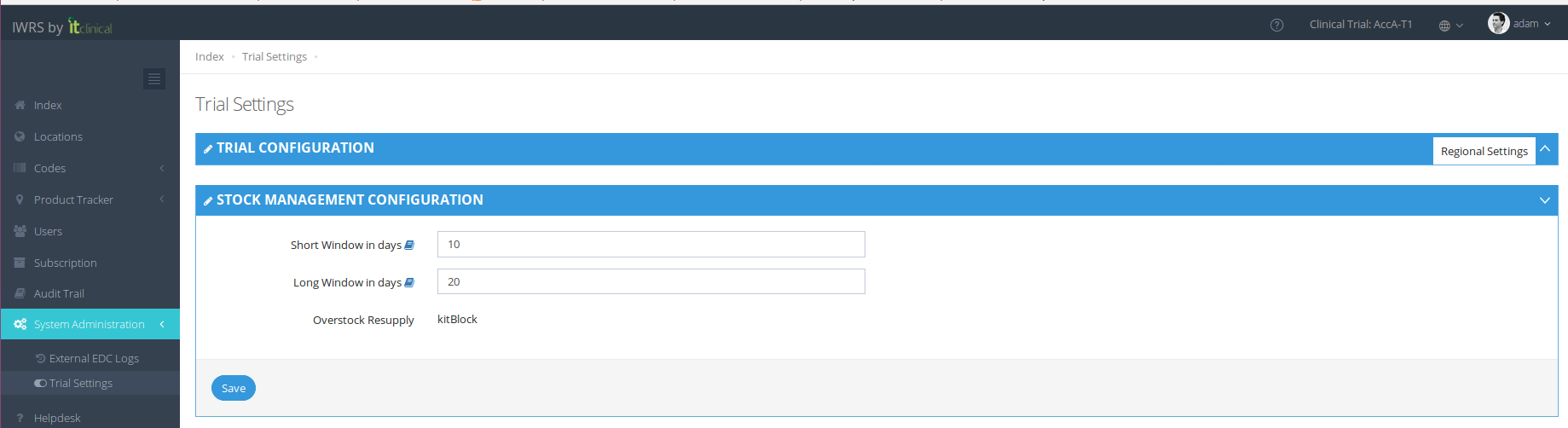
The Stock Management configuration page includes information regarding:
- Predictive Stock Resupply: Short and Long Windows
- Overstock Resupply: whether it is active or not
These configurations are shown at anytime on Trial Settings page:
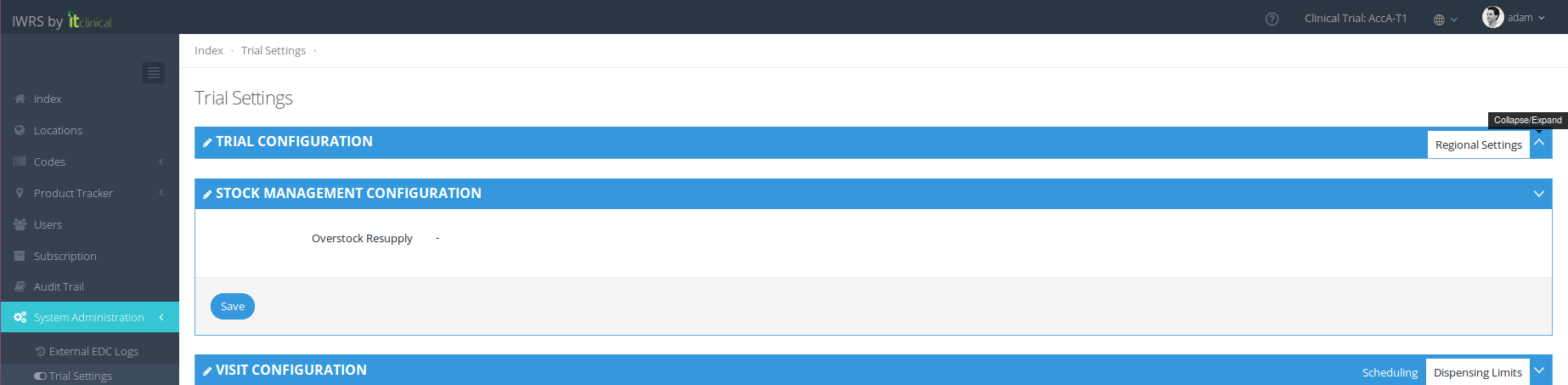
In case the trial is not configured to use Predictive Stock Resupply nor Overstock Resupply, the following information will be shown:
Note: Short and Long windows will not be visible. Overstock Resupply configuration is always shown, even when inactive.
2.Predictive Stock Resupply
To learn more regarding Predictive Stock Resupply, please refer to the following article: Stock Resupply - Predictive Shipment
3. Overstock Resupply
To learn more regarding Overstock Resupply, please refer to the following article: Stock Resupply - Overstock Resupply
Related Articles
Trial Settings - Visit Configuration
Note: Only users with certain permissions can see and/or edit the visit related configurations. 1. Subject visits schedule configuration Visit scheduling configuration allows the user to configure how many days after randomisation the visits should ...Trial Settings - Timezone
1. How to edit trial timezone Only users with certain permissions can see and/or edit the trial timezone. 1. Go to Trial Settings page under System Administration on the left menu 2. Select Regional Settings tab 3. The trial's timezone will be ...Language Settings
Note - Currently the available languages are: English and Chinese. For this section we will do a small walkthrough to explain where and how the user can change its language settings. We will start with the login page in English language and change it ...Trial Details
1. How to edit the trial details Only users with certain permissions can see and/or edit the trial details. 1. Go to Trial Settings page underSystem Administrationon the left menu 2. Select Trial Details tab 3. The trial details will be shown as ...Account Management
1. How to access the account management Users with account management permissions will be able to choose to enter a Trial or an Account. 1. To access the account management, choose the account you want to access and click on Manage Account. 2. You ...